






Some links on this page are partner links. They never change what we recommend. How we pick →
vidIQ Review 2027: Does It Really Grow a YouTube Channel?
Keyword research, video ideas, an AI coach and a Chrome extension that shows you why other videos win. Here's what each plan gets you and how to use it so it actually moves your numbers.
Gear Receipts Desk· 5 sources read· Updated Nov 27, 2026
Yes, vidIQ helps a channel grow, if you use it to pick topics and package videos, not as a magic button. vidIQ shows you keywords with real search volume, outlier videos in your niche, daily ideas and an AI coach that reads your channel. The free plan is a real start; Boost is $19 a month (US list price) and unlocks the full toolkit.
Free forever plan with 150 AI credits a month, no credit card. Black Friday: 25% off Boost and MAX until December 2, 2026.Jump to a section
Free plan with 150 AI credits a month, no credit card
Receipt · vidIQ plans page$0 Free plan with 150 AI credits a month, no credit cardRead Nov 27, 2026Open source ↗Boost, US list price ($199 a year), 2,000 AI credits a month
Receipt · vidIQ plans page$19/mo Boost, US list price ($199 a year), 2,000 AI credits a monthRead Nov 27, 2026Open source ↗Black Friday on every renewal while you stay subscribed, ends Dec 2, 2026
Receipt · vidIQ plans page25% off Black Friday on every renewal while you stay subscribed, ends Dec 2, 2026Read Nov 27, 2026Open source ↗Creators using vidIQ, in 190+ countries (vidIQ, Nov 2026)
Receipt · vidIQ home page30M+ Creators using vidIQ, in 190+ countries (vidIQ, Nov 2026)Read Nov 27, 2026Open source ↗Is vidIQ worth it in 2027?
Short version: for a small or mid-size channel, vidIQ is one of the best-value tools you can add. It answers the three questions that decide whether a video gets views: what to make, what to call it, and what the thumbnail should promise. It does that with YouTube data, not guesses. Receipt · vidIQ home page30M+ creators, 190+ countries, free forever with no credit card, keyword research, outliers, daily ideas, AI Coach, thumbnails, script writer, clipping, extensionRead Nov 27, 2026Open source ↗
What vidIQ won't do is make a weak video perform. Think of it as a research assistant that saves you hours: it finds the topics already breaking out in your niche, scores keywords by search volume and competition, and points out what to fix in videos you've already posted. You still make the video. Receipt · vidIQ features pagevidIQ MCP with 50+ tools on every plan, Instagram tools, optimization and coaching featuresRead Nov 27, 2026Open source ↗
Start on the free plan. Move to Boost when you're publishing every week and want the full keyword tool, unlimited trend research and the AI coach with deep thinking. MAX is for channels that also clip Shorts and run deep audits every month. Receipt · vidIQ plans pageUS list prices, Black Friday 25% off until Dec 2, 2026, AI credits per plan and per action, no rollover, Max Mode, Outlier score, Coaching, EnterpriseRead Nov 27, 2026Open source ↗
vidIQ is offering 25% off Boost and MAX, locked in on every renewal while you stay subscribed. On yearly billing that's $149.25 for Boost instead of $199, and $351 for MAX instead of $468. The offer ends December 2, 2026.
Free plan, no credit card. Connect your channel and look at your first outlier report.
What does vidIQ actually do?
vidIQ is a growth toolkit for YouTube (and now Instagram Reels). It comes as a web app, a free Chrome extension, a mobile app, and an MCP connection that brings vidIQ's data into Claude, ChatGPT and other AI assistants. Receipt · vidIQ features pagevidIQ MCP with 50+ tools on every plan, Instagram tools, optimization and coaching featuresRead Nov 27, 2026Open source ↗
- Keyword research: real search volume, competition scores and AI suggestions for each topic Receipt · vidIQ home page30M+ creators, 190+ countries, free forever with no credit card, keyword research, outliers, daily ideas, AI Coach, thumbnails, script writer, clipping, extensionRead Nov 27, 2026Open source ↗
- Outliers: videos getting far more views than their channel usually does. A score of 5x means five times the usual views, which tells you a topic or packaging is breaking out. Receipt · vidIQ plans pageUS list prices, Black Friday 25% off until Dec 2, 2026, AI credits per plan and per action, no rollover, Max Mode, Outlier score, Coaching, EnterpriseRead Nov 27, 2026Open source ↗
- Daily ideas tuned to your channel and niche Receipt · vidIQ home page30M+ creators, 190+ countries, free forever with no credit card, keyword research, outliers, daily ideas, AI Coach, thumbnails, script writer, clipping, extensionRead Nov 27, 2026Open source ↗
- AI Coach: an AI strategist that analyzes your channel and gives you a growth plan Receipt · vidIQ home page30M+ creators, 190+ countries, free forever with no credit card, keyword research, outliers, daily ideas, AI Coach, thumbnails, script writer, clipping, extensionRead Nov 27, 2026Open source ↗
- Title, description, tag and thumbnail optimization, with AI thumbnails and A/B testing Receipt · vidIQ home page30M+ creators, 190+ countries, free forever with no credit card, keyword research, outliers, daily ideas, AI Coach, thumbnails, script writer, clipping, extensionRead Nov 27, 2026Open source ↗
- AI script writer that matches your style Receipt · vidIQ home page30M+ creators, 190+ countries, free forever with no credit card, keyword research, outliers, daily ideas, AI Coach, thumbnails, script writer, clipping, extensionRead Nov 27, 2026Open source ↗
- Clipping: turns long videos into Shorts and TikToks Receipt · vidIQ home page30M+ creators, 190+ countries, free forever with no credit card, keyword research, outliers, daily ideas, AI Coach, thumbnails, script writer, clipping, extensionRead Nov 27, 2026Open source ↗
- Chrome extension: view velocity, SEO scores and tags on any video or channel, right inside YouTube Receipt · vidIQ home page30M+ creators, 190+ countries, free forever with no credit card, keyword research, outliers, daily ideas, AI Coach, thumbnails, script writer, clipping, extensionRead Nov 27, 2026Open source ↗
- vidIQ MCP: 50+ creator tools inside your AI assistant, on every plan including Free Receipt · vidIQ features pagevidIQ MCP with 50+ tools on every plan, Instagram tools, optimization and coaching featuresRead Nov 27, 2026Open source ↗
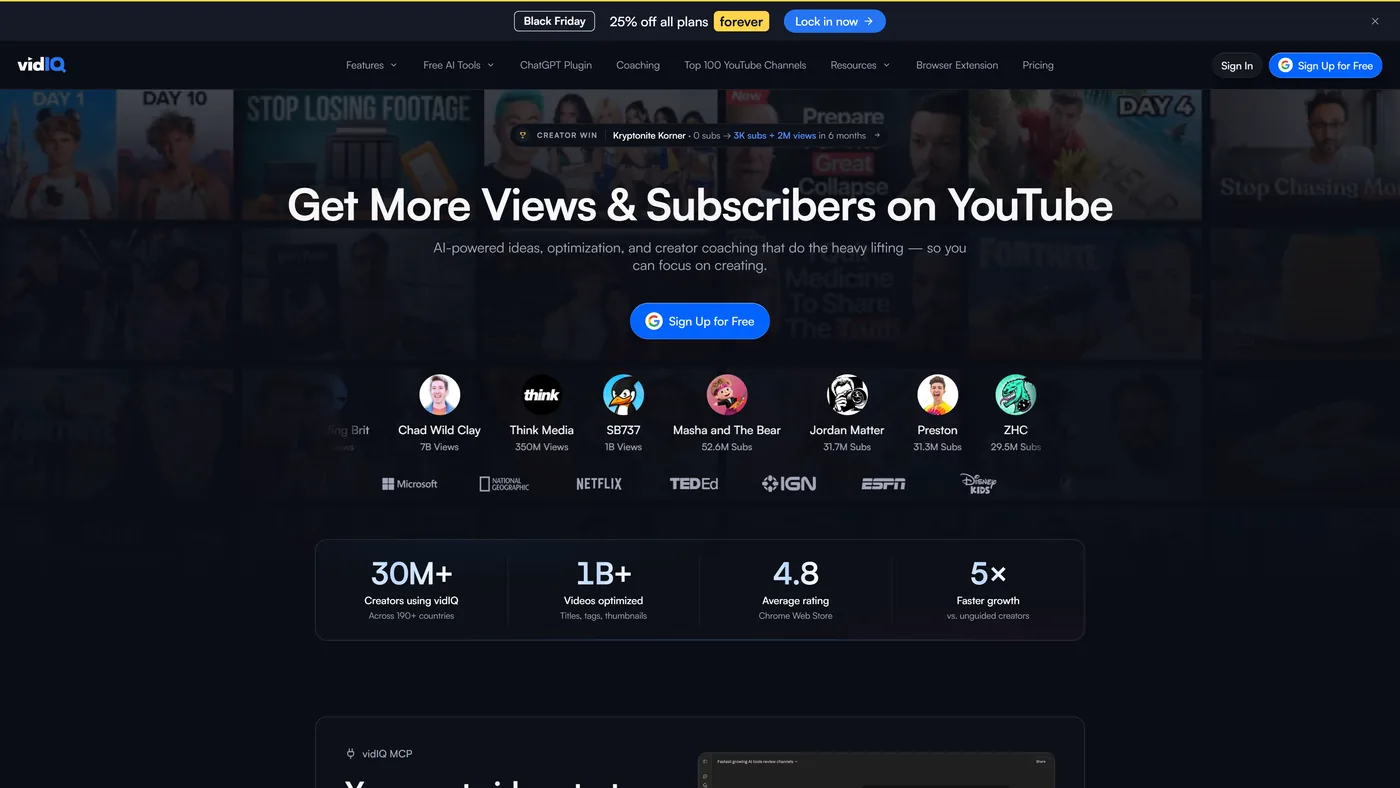
If you haven't launched yet, read how to start a YouTube channel first. vidIQ is most useful from your first upload, because it stops you from spending a week on a topic nobody searches for. Receipt · vidIQ home page30M+ creators, 190+ countries, free forever with no credit card, keyword research, outliers, daily ideas, AI Coach, thumbnails, script writer, clipping, extensionRead Nov 27, 2026Open source ↗
How much does vidIQ cost?
Three self-serve plans, plus 1-on-1 coaching and Enterprise for agencies. vidIQ shows local prices by country; the figures below are the one-channel US list prices printed on vidIQ's plans page, read on November 27, 2026. Receipt · vidIQ plans pageUS list prices, Black Friday 25% off until Dec 2, 2026, AI credits per plan and per action, no rollover, Max Mode, Outlier score, Coaching, EnterpriseRead Nov 27, 2026Open source ↗
Brand-new channels finding their niche
- 150 AI credits a month
- Niche trends and content ideas
- Growth tips from the AI Coach
- vidIQ MCP for Claude or ChatGPT
- No credit card
Creators posting every week
- 2,000 AI credits a month (2,500 or 3,000 options)
- 30+ advanced tools
- Unlimited trend research and subscriber insights
- AI thumbnails
- AI Coach with deep thinking
- Masterclasses from top creators
Channels that clip Shorts and audit deeply every month
- Everything in Boost
- 6,000 AI credits a month (8,000 or 10,000 options)
- Up to 3x AI Coach conversations
- Max Mode for full channel audits
- Up to 11 hours of short clipping and generations
| Free | Boost | MAX | |
|---|---|---|---|
| Monthly price | $0 | $19 | $49 |
| Yearly price | $0 | $199 | $468 |
| Black Friday yearly (until Dec 2, 2026) | - | $149.25 | $351 |
| AI credits a month | 150 | 2,000 | 6,000 |
| AI Coach | Growth tips | Deep thinking | Max Mode, up to 3x conversations |
| Short clipping | - | Uses credits | Up to 11 hours |
| vidIQ MCP | Yes | Yes | Yes |
Receipt · vidIQ plans pageUS list prices, Black Friday 25% off until Dec 2, 2026, AI credits per plan and per action, no rollover, Max Mode, Outlier score, Coaching, EnterpriseRead Nov 27, 2026Open source ↗
Above MAX, Boost + Coaching pairs the Boost toolkit with a human YouTube coach who gives you a channel audit, a step-by-step growth plan and feedback on titles, thumbnails and pacing (English-language channels only). Enterprise covers teams and anyone managing more than three channels. Receipt · vidIQ plans pageUS list prices, Black Friday 25% off until Dec 2, 2026, AI credits per plan and per action, no rollover, Max Mode, Outlier score, Coaching, EnterpriseRead Nov 27, 2026Open source ↗
Black Friday price stays on every renewal while you're subscribed. Ends December 2, 2026.
How do vidIQ AI credits work?
AI credits are a monthly balance shared by vidIQ's AI tools: the AI Coach, thumbnails, the script writer, clipping and vidIQ MCP. Each action has a cost. Receipt · vidIQ plans pageUS list prices, Black Friday 25% off until Dec 2, 2026, AI credits per plan and per action, no rollover, Max Mode, Outlier score, Coaching, EnterpriseRead Nov 27, 2026Open source ↗
| Action | Credits | On Boost (2,000/month) |
|---|---|---|
| One AI Coach message | 10 | About 200 messages a month |
| One AI thumbnail | 22 | About 90 thumbnails a month |
| Max Mode message | More than a regular message | MAX and Coaching plans only |
Receipt · vidIQ plans pageUS list prices, Black Friday 25% off until Dec 2, 2026, AI credits per plan and per action, no rollover, Max Mode, Outlier score, Coaching, EnterpriseRead Nov 27, 2026Open source ↗
- Credits refresh every month. Receipt · vidIQ plans pageUS list prices, Black Friday 25% off until Dec 2, 2026, AI credits per plan and per action, no rollover, Max Mode, Outlier score, Coaching, EnterpriseRead Nov 27, 2026Open source ↗
- Unused credits don't roll over, so use them. Receipt · vidIQ plans pageUS list prices, Black Friday 25% off until Dec 2, 2026, AI credits per plan and per action, no rollover, Max Mode, Outlier score, Coaching, EnterpriseRead Nov 27, 2026Open source ↗
- The research tools that matter most (keywords, trends, outliers, subscriber insights) aren't capped by credits on Boost: vidIQ lists trend research and subscriber insights as unlimited. Receipt · vidIQ plans pageUS list prices, Black Friday 25% off until Dec 2, 2026, AI credits per plan and per action, no rollover, Max Mode, Outlier score, Coaching, EnterpriseRead Nov 27, 2026Open source ↗
How do you use vidIQ to grow a channel?
Here's the routine that gets the most out of the tool, built from what vidIQ itself puts front and center.
-
1
Sign up free and connect your channel
You can sign up with Google, no credit card. Install the Chrome extension too, so the data shows up while you browse YouTube. Receipt · vidIQ home page30M+ creators, 190+ countries, free forever with no credit card, keyword research, outliers, daily ideas, AI Coach, thumbnails, script writer, clipping, extensionRead Nov 27, 2026Open source ↗
-
2
Find your outliers
Look for videos in your niche scoring 3x, 5x or more against their channel's usual views. Those are topics and angles people want right now. Receipt · vidIQ plans pageUS list prices, Black Friday 25% off until Dec 2, 2026, AI credits per plan and per action, no rollover, Max Mode, Outlier score, Coaching, EnterpriseRead Nov 27, 2026Open source ↗
-
3
Check the keyword
Before you film, check search volume and competition for your working title. Pick the version with real demand you can realistically rank for. Receipt · vidIQ home page30M+ creators, 190+ countries, free forever with no credit card, keyword research, outliers, daily ideas, AI Coach, thumbnails, script writer, clipping, extensionRead Nov 27, 2026Open source ↗
-
4
Package before you publish
Use the title and thumbnail tools to test a few options. On Boost, AI thumbnails cost 22 credits each. Receipt · vidIQ plans pageUS list prices, Black Friday 25% off until Dec 2, 2026, AI credits per plan and per action, no rollover, Max Mode, Outlier score, Coaching, EnterpriseRead Nov 27, 2026Open source ↗
-
5
Ask the AI Coach once a week
Ask what's working on your channel and what to make next. It reads your own data, so the answer is about you, not YouTube in general. Receipt · vidIQ home page30M+ creators, 190+ countries, free forever with no credit card, keyword research, outliers, daily ideas, AI Coach, thumbnails, script writer, clipping, extensionRead Nov 27, 2026Open source ↗
-
6
Turn long videos into Shorts
Clip your best moments into Shorts and Reels to feed the long videos. Receipt · vidIQ home page30M+ creators, 190+ countries, free forever with no credit card, keyword research, outliers, daily ideas, AI Coach, thumbnails, script writer, clipping, extensionRead Nov 27, 2026Open source ↗
For the clipping and caption side, dedicated tools go further. We cover them in our OpusClip review and our Submagic review, which is the caption tool we'd pair with vidIQ for Shorts.
Is vidIQ safe for your YouTube channel?
vidIQ says it's a certified YouTube service provider, meaning it has completed YouTube's certification program. It's backed by investors including Mark Cuban and Chris Sacca, and it says brands like Red Bull and BuzzFeed use it. Receipt · vidIQ Help Center: Is vidIQ safe and trustworthy?Certified YouTube service provider, investors, brands using vidIQRead Nov 27, 2026Open source ↗
The worry you'll see online, that a tool like vidIQ can hurt a channel, comes from how people use it, not from the tool. Copying a competitor's tags or chasing a keyword that doesn't fit your audience can lower your click-through rate. Use vidIQ to choose topics and package them well, and it works in your favor.
Is vidIQ reliable? What users say
On Trustpilot, vidIQ has 3.6 out of 5 from 1,381 reviews (read November 26, 2026). Trustpilot's summary says reviewers often praise the support team as fast, friendly and professional, and find the tools valuable for titles, stats and growth insights. The complaints are mostly about subscription renewals. Receipt · vidIQ on Trustpilot3.6/5 from 1,381 reviews, review summary and user reviewsRead Nov 27, 2026Open source ↗
A user of more than six years said the SEO tools have been excellent year after year, and that pulling thumbnails straight from your videos is a big plus.
Trustpilot reviewer, Feb 2026 Receipt · vidIQ on Trustpilot3.6/5 from 1,381 reviews, review summary and user reviewsRead Nov 27, 2026Open source ↗
Another said you get a lot of tools and support for the money, including how-to videos, topic and keyword tools and a script writer.
Trustpilot reviewer, Feb 2026 Receipt · vidIQ on Trustpilot3.6/5 from 1,381 reviews, review summary and user reviewsRead Nov 27, 2026Open source ↗
To avoid the renewal surprise, note your renewal date when you subscribe. Both paid plans renew automatically and can be canceled anytime. Receipt · vidIQ plans pageUS list prices, Black Friday 25% off until Dec 2, 2026, AI credits per plan and per action, no rollover, Max Mode, Outlier score, Coaching, EnterpriseRead Nov 27, 2026Open source ↗
Who should pick something else?
If you don't plan to post at least a few times a month, the free plan is enough and you don't need Boost yet. And if your main goal is turning podcasts or long videos into captioned Shorts, start with a clipping tool and add vidIQ when you work on your long-form channel.
vidIQ earns its $19 a month when it stops you from making videos nobody searches for. Start free, find your first outliers, and upgrade to Boost when you're publishing every week. The Black Friday 25% off, kept on every renewal, makes this the cheapest time to lock it in.